ChatGPT + NestPilot
Start in ChatGPT. Continue in NestPilot.
Ask a retirement question inside ChatGPT, get a math-backed answer, then carry your numbers straight into the full NestPilot planning workspace - no re-entry. The free tools come from NestPilot Foundation, a 501(c)(3); the full plan, saving, and monitoring live here in the app.
Watch a 2-minute walkthrough
From one question in ChatGPT to a full retirement plan
See the whole flow end to end - ask in ChatGPT, then forecast, four decision workspaces, and an honest stress test in the app.
Step-by-step setup
From a ChatGPT question to a plan you can keep
Follow the screenshots once. After that, you can start with a plain-English question and carry the numbers into NestPilot when you are ready.
01
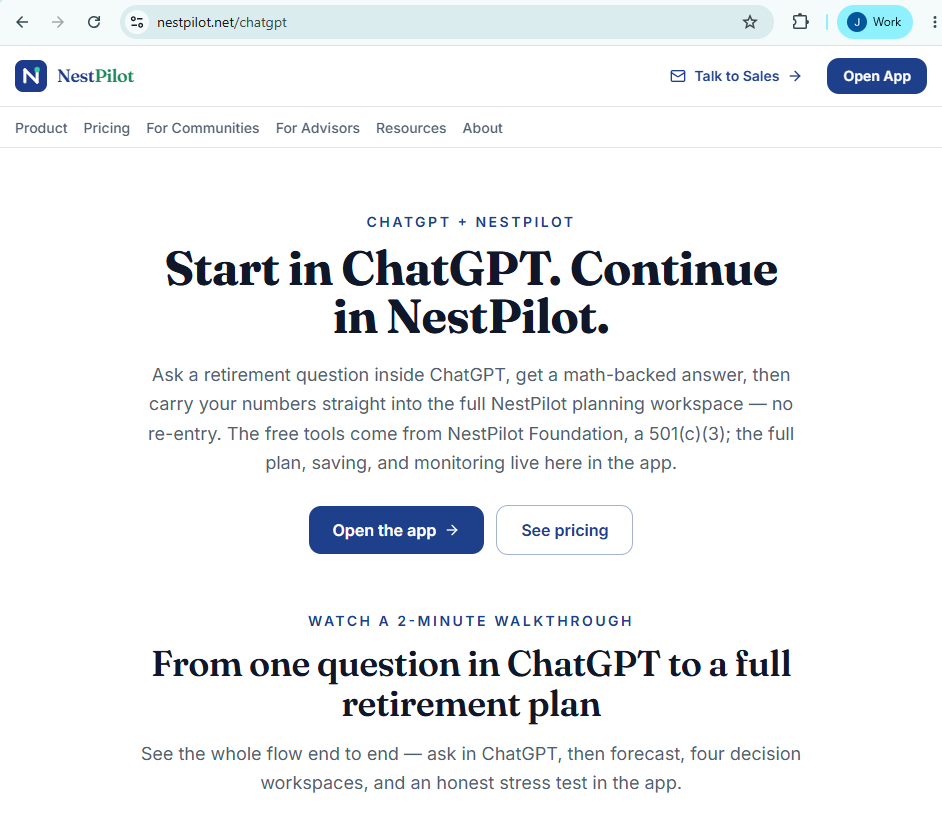
Start from the ChatGPT flow page
Use this page to understand the path from a ChatGPT question to a saved NestPilot plan.
You should see the commercial page explain the start-in-ChatGPT, continue-in-NestPilot flow.
02
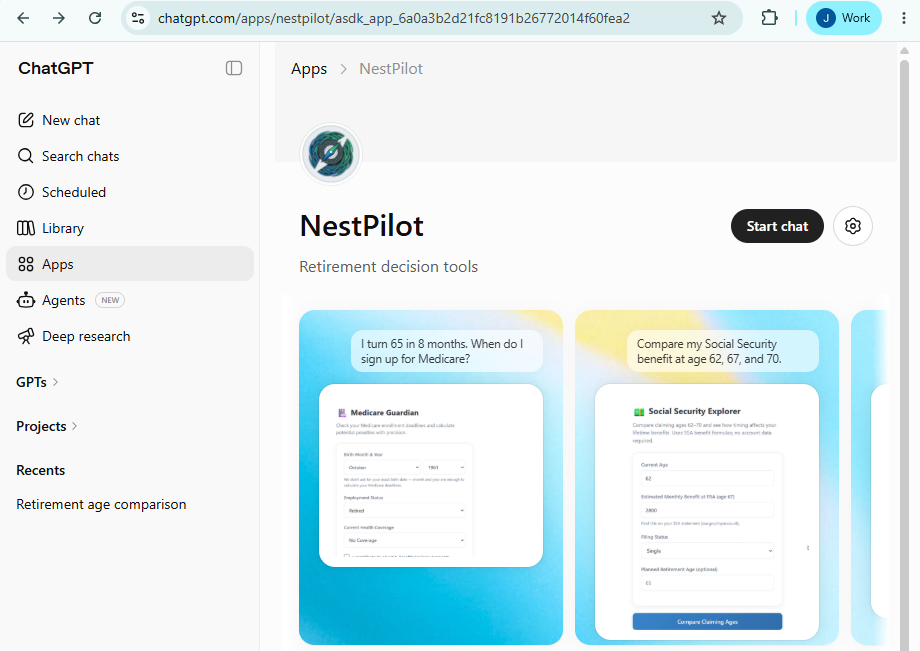
Enable NestPilot in ChatGPT
Open ChatGPT, search apps or connectors for NestPilot, and enable it once.
You should see NestPilot enabled or available in ChatGPT.
If it does not appear, confirm the same ChatGPT account has app or connector access.
03
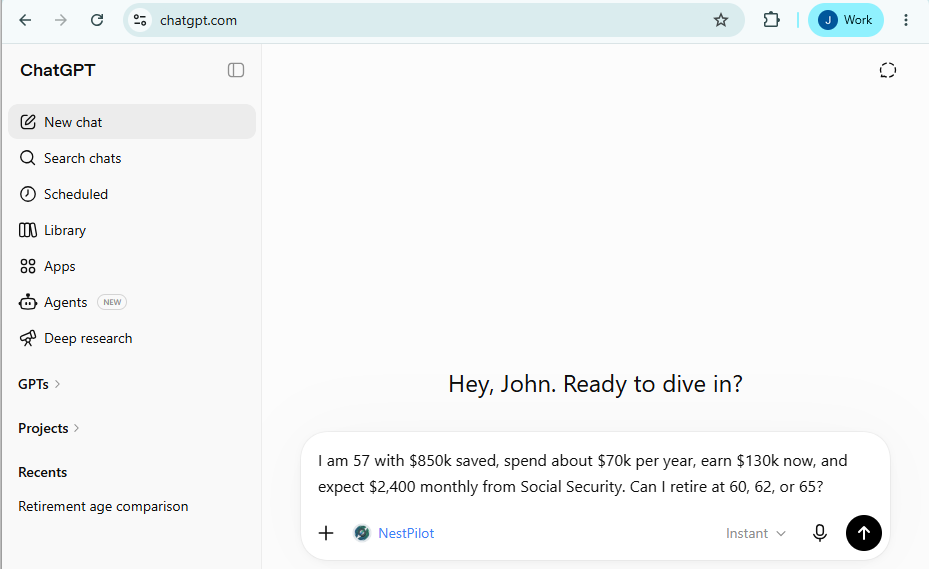
Ask a retirement question
Ask in plain English with the numbers you want carried into the planning workspace.
You should see the question in ChatGPT before sending.
04
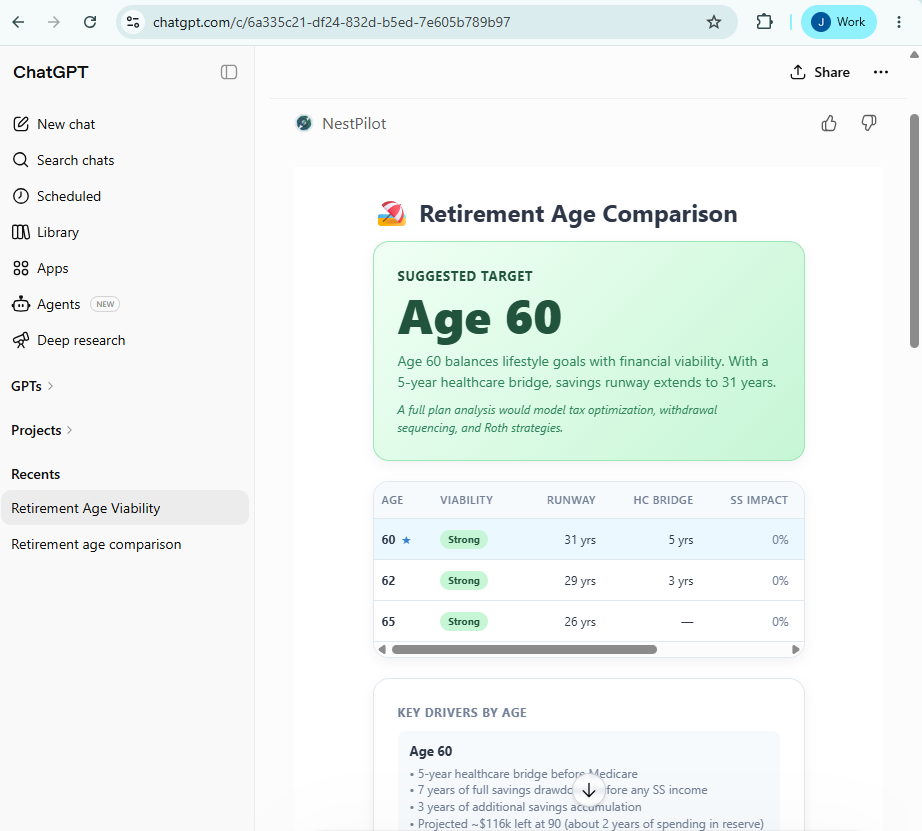
Review the interactive answer
Wait for NestPilot to render the widget and review the decision tradeoffs.
You should see the NestPilot widget answer inside the conversation.
05
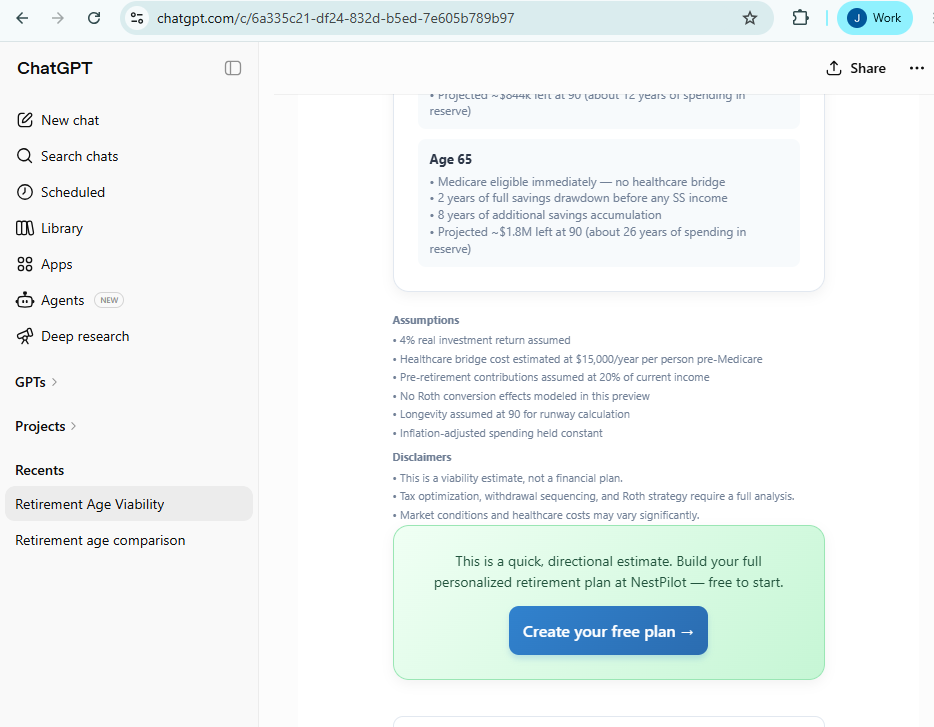
Create your free plan
When the result looks right, click Create your free plan in the ChatGPT widget.
You should see the handoff CTA before leaving ChatGPT.
If the CTA is missing, use a Social Security, Roth, or retirement-age explorer prompt.
06
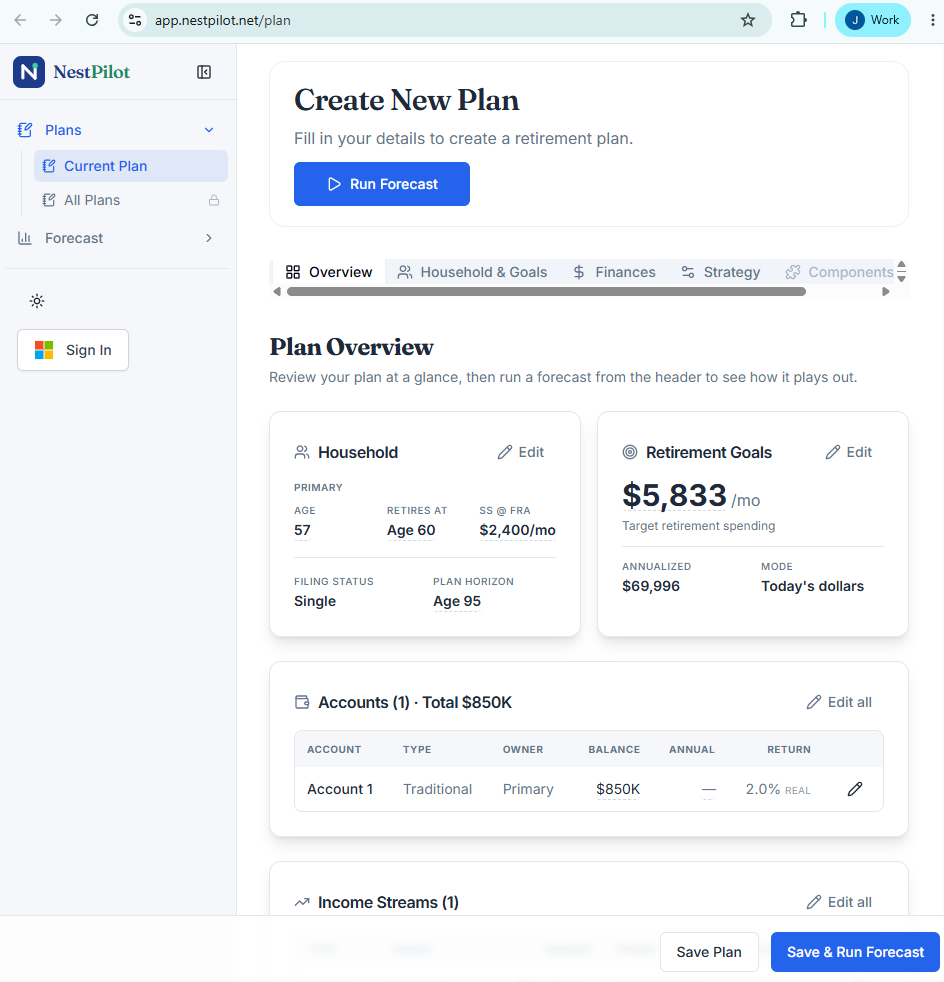
Continue in the app
Let the app open and confirm your assumptions came with you.
You should see the NestPilot planning workspace with the transferred numbers loaded.
Your numbers come with you
When you create a free plan from ChatGPT, everything you explored - your ages, balances, income, and the decisions you ran - transfers into the app intact. No forms to re-fill, no copy-paste. You pick up exactly where the conversation left off, with the full workspace to refine, save, and keep an eye on your plan as markets and tax rules change.
Try it free - start a plan
Open the planning workspace free, or start in ChatGPT and bring your numbers over. Either way, the math is transparent and the decision stays yours.